
The technology we use every day seems simple on the surface: a light turns on, a door opens, a sensor senses movement, a device responds to a command. Behind this, there is a combination of electronics, programming, energy, components, signals and logical decisions. When students begin to study electronics and automation, they begin to see this operation with different eyes.
This type of learning is very different from just using apps or watching videos about technology. The student assembles circuits, identifies components, tests connections, observes failures, interprets schematics and understands how hardware and software work together. It is a concrete, demanding and very formative experience.
Therefore, an electronics course should not be sold as “playing with wires”. It needs to be conducted with safety, method and progression. The objective is to develop logical reasoning, responsibility, autonomy and the ability to solve real problems.
What electronics teaches beyond components
Learning electronics involves understanding concepts such as current, voltage, resistance, circuit, power supply, sensors, actuators, motors, LEDs, relays and controller boards. But the educational value goes beyond technical names.
The student learns that systems depend on relationships. A poorly positioned component may prevent it from functioning. An improper connection may cause an error. A sensor needs to capture information for the system to make a decision. An actuator transforms command into action.
This understanding strengthens systemic thinking: the ability to see how different parts connect to produce a result. In an increasingly automated world, this skill is extremely relevant.
Automation brings technology closer to everyday life
Automation is a powerful topic because it appears in real situations: lighting, security, air conditioning, automatic doors, machines, factories, smart homes and control systems. When the student understands these examples, technology stops seeming distant.
Designs with sensors and motors show how a system can respond to the environment. A proximity sensor can detect presence. A motor can move a structure. A relay can trigger a device. A schedule can define conditions so that everything happens in an organized way.
This type of project connects theory and practice. Students don’t just hear about automation. It builds a simplified version of what exists in the real world.
The place of Arduino and controller boards
For students with adequate maturity, boards like Arduino open a more advanced stage of learning. Arduino allows you to integrate programming, electronics and prototyping, creating systems that read inputs, process information and trigger outputs.
In AutoBot, for example, the student works with an Arduino controller, sensors and actuators, delving deeper into programming, assembly, testing and adjustments. The proposal requires greater concentration, precision and analysis capacity, bringing the student closer to topics such as engineering, computing and automation.
In other tracks, the student may have contact with different platforms and controllers, such as block programming, Scratch, MRTduino or micro:bit, according to age, course and pedagogical objective. The important thing is that the tool is at the service of learning, not the other way around.
Why security and monitoring are essential
Educational electronics need to be secure. The use of appropriate sources, appropriate components, organized kits and constant guidance is part of the process. Children and young people should not be encouraged to touch real electrical installations or improvise experiments without supervision.
A serious course differentiates educational electronics from domestic electricity. The student can study concepts, assemble simple circuits and understand applications, but always in a controlled environment. Security does not reduce the experience; it makes learning responsible.
It is also essential that the instructor monitors the tests. When a montage doesn't work, the correct intervention is not simply to correct everything for the student. It's helping you investigate: is the component in the right place? Was polarity respected? Does the command match the expected behavior? Is the circuit closed? Was the code interpreted correctly?
What does the student develop in this process?
The first gain is logical reasoning. Electronics requires sequence, cause and effect relationships and systems reading.
The second is attention to detail. Small differences in position, connection or command may alter the result.
The third is problem solving. The student needs to formulate hypotheses, test possibilities and correct them.
The fourth is responsibility. Working with real components requires care, organization and respect for the materials.
The fifth is technical autonomy. As they progress, the student begins to better understand the systems and propose adjustments more independently.
This progression is important because it starts from the basics and advances to functional applications. The student does not receive loose concepts. Each theme appears connected to a project, which helps to understand the usefulness of what is being studied.
The presence of an individual kit during the class also reinforces the protagonism. The student assembles, tests, analyzes and adjusts their own circuits, always under supervision.
Electronics is not just for those who want to be an engineer
It is common for parents to associate electronics with very specific technical training. But the educational value is broader. Even if young people do not pursue a career in engineering, they develop a way of thinking that is useful for any area: observing systems, decomposing problems, testing solutions and acting with discretion.
Furthermore, electronics help to reduce the distance between the digital world and the physical world. The student realizes that technology does not just live on the screen. It is in devices, sensors, machines, objects and environments.
How to choose a good experience
Before enrolling, parents should ensure that the course has a safe structure, adequate material, clear progression and practical projects. It is also worth asking which components are used, how the class is monitored and what type of autonomy the student will have.
Be wary of proposals that promise very advanced technical results without considering age, maturity and safety. Good technological learning respects stages.
When technology becomes visible
Electronics has a powerful pedagogical advantage: it makes technology visible. The student sees the circuit, touches the components, follows the effect of the code and understands why the system works or not.
When this happens, he stops seeing technology as magic. Start seeing it as construction. And this change of perspective is one of the biggest gains from well-conducted technological training.
Next learning paths
If this topic made sense for your family, these tracks help turn curiosity into practical projects.

Autobot
Arduino, sensors and automation to understand how digital commands move real systems.
View course
Techbot
Engineering, sensors and automation for more precise and complete robotics projects.
View courseProducts to keep exploring at home
These Maker Store options match the article topic and help turn curiosity into hands-on projects.
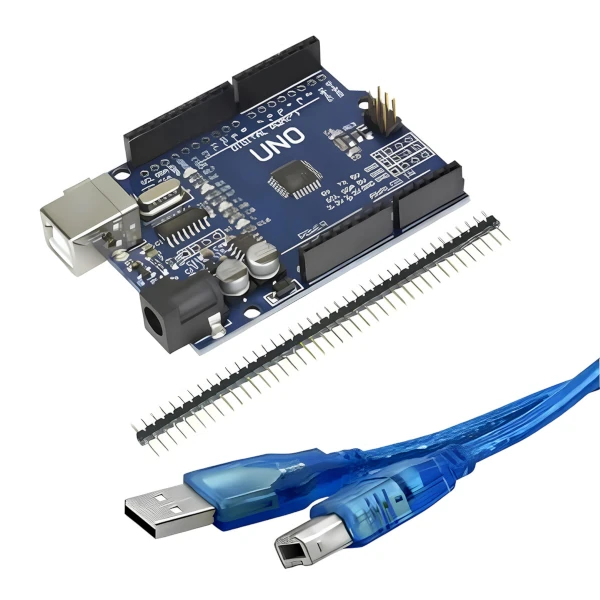
Arduino Uno R3 compatible board
An accessible base for connecting programming, inputs, outputs and physical experiments.
View in Maker Store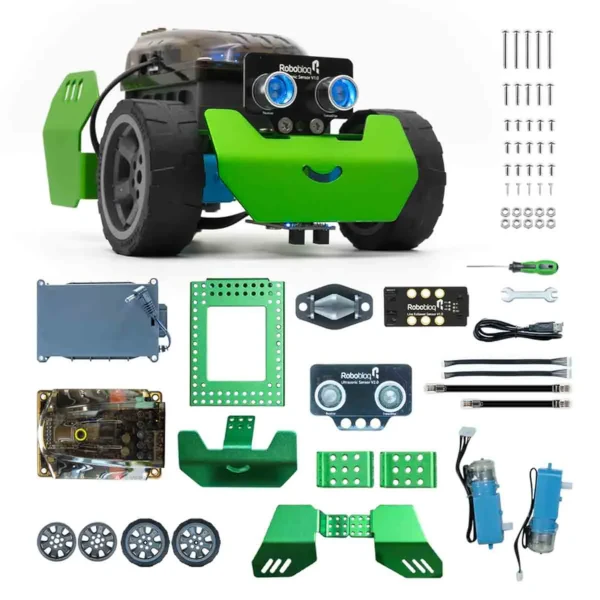
Maker Store Arduino Kit
Useful for exploring sensors, automation and first physical computing projects.
View in Maker Store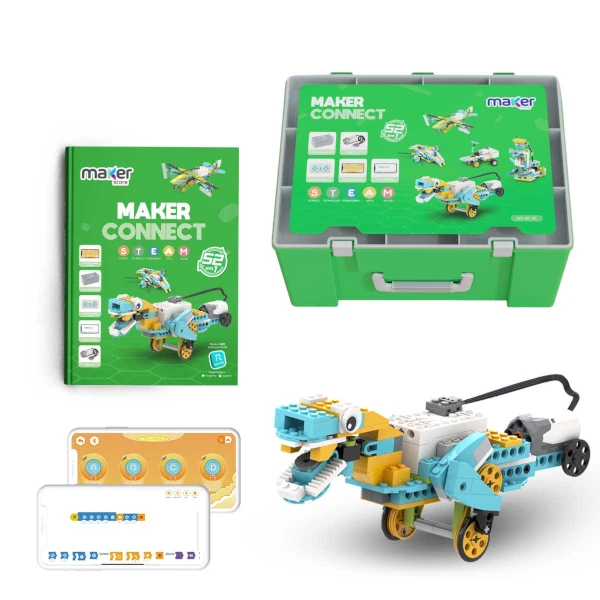
Maker Connect 52-in-1 Kit
Expands building possibilities and encourages children to test different solutions.
View in Maker StoreAffiliate links: when you buy through these links, you support My Robot Barra da Tijuca.
Want to see technology in practice?
At My Robot Barra da Tijuca, children and teens learn technology by creating projects, testing ideas and developing autonomy.