
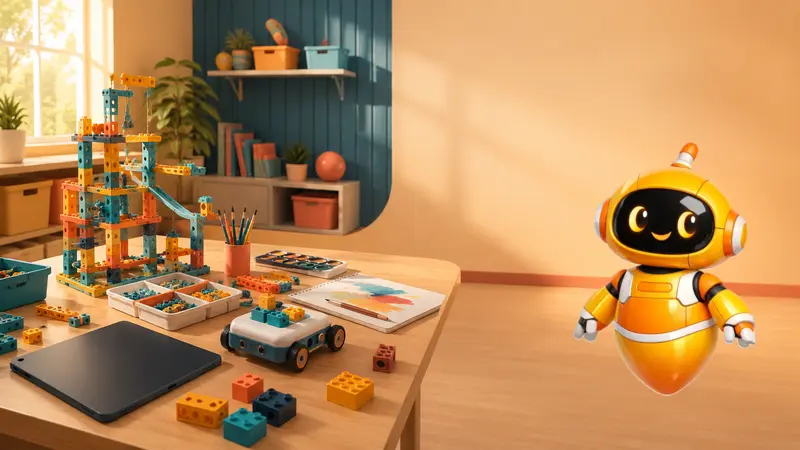
The launch of Toy Story 5 brought back a question that many parents already ask at home: after all, are screens robbing children of their childhood?
In the new Pixar film, Woody, Buzz, Jessie and the other toys have to deal with Lilypad, a tablet that challenges Bonnie's relationship with playing and puts her toy routine in check.1
This debate comes at a sensitive time in Brazil. In 2025, influencer Felca published a video about the premature adultification of children, reigniting public discussion about children's exposure to social media, algorithms, sexualization and online safety.23
Parents' concerns are legitimate. But there is a fundamental distinction that is almost always left out of the conversation:
The problem isn't the screen itself — it's the purpose for which it is used.
A child scrolling through short videos alone for hours does not have the same experience as a child using a computer to program a robot, test hypotheses, correct errors and present a solution. In both cases there is technology. But the child's role changes completely.
Moral panic vs. the right question
When it comes to childhood and technology, the most common question is: “How much screen time can my child have?”
It matters, but it is incomplete. The most important question is: “What is this screen being used for?”
The American Academy of Pediatrics, a reference medical entity in pediatrics, advises families to think not only about time, but also about quality, context, content and adult mediation in the use of screens.4
| Type of use | Dynamics | Impact on development |
|---|---|---|
| Passive consumption — social networks, streaming videos, games without educational objectives | The screen is the protagonist; the child is a spectator | It can be harmful when excessive, especially when it replaces sleep, play, reading, socializing and movement |
| Constructive and guided use — programming, robotics, digital creation, maker projects | The screen is a tool; the child is the author | Can develop logical reasoning, coordination, creativity, problem solving, collaboration and autonomy |
What pediatricians and child development researchers warn about passive screen consumption
Leading children's health organizations are consistent on one point: excessive, early and unsupervised screen use can pose risks.
The World Health Organization recommends that young children get more movement time, adequate sleep and active play. For children under 2 years old, the advice is to avoid sedentary screen time; for children aged 2 to 4 years, the recommended limit is a maximum of one hour per day, with less being better.6
“What we really need to do is give kids back play.”
— World Health Organization, 2019 (free translation).7
The Brazilian Society of Pediatrics, in its guide #Fewer Screens #More Health — 2024 Update, reinforces the importance of limits, supervision, data protection, sleep, movement, family bonds and face-to-face interaction.8
Researchers published in JAMA Pediatrics help explain this caution. Madigan et al. (2019), in a longitudinal study with 2,441 children, associated greater screen time at 24 and 36 months with worse later results in developmental screenings.9 Takahashi et al. (2023), following 7,097 children, observed a dose-response relationship between screen time at 1 year of age and delays in communication and problem solving.10
The point, however, is not to demonize every use. A meta-analysis by Madigan et al. (2020), also published in JAMA Pediatrics, showed an essential nuance: more screen time was associated with weaker language skills, while high-quality educational content and adult-guided use were associated with better language outcomes.11
In other words: pediatricians and researchers do not support a simplistic conclusion such as “all screens are bad”. The alert is more specific: too much screen, too soon, too alone and without purpose can harm.
What pedagogues and researchers in educational technology show about active and constructive use
There is a huge difference between consuming technology and building with technology.
The pedagogue and mathematician Seymour Papert, MIT researcher and author of Mindstorms (1980), argued that computers could be instruments for children to think, create and learn — not just machines for receiving information.12 This view, known as constructionism, inspires approaches to programming, robotics and maker learning.
In practice, when children program, they organize actions, predict consequences, test ideas, make mistakes and correct them. When they build a robot, they connect parts, movement, force, sensors, logic and purpose. When they create a game, they transform imagination into a working system.
Researchers in STEM education also study educational robotics. A meta-analysis on International Journal of STEM Education by Ouyang and Xu (2024), with studies from 2010 to 2022, found moderate positive effects on performance and learning attitudes, with variations depending on methodology, duration and design of activities.13
In young children, researchers in the field of psychology and educational technology point out that tangible robots can be suitable for child development as they allow a concrete relationship between command, action and result. Gerosa et al. (2022), in a study published in Frontiers in Psychology, observed gains in computational thinking in 5-year-old children involved in robotics activities.14
The message is clear: technology with pedagogical intention is not the same thing as infinite entertainment.
The My Robot methodology: the screen as a tool, not as an end
In My Robot Barra da Tijuca, technology does not replace childhood. It comes to expand the ability to imagine, build and resolve.
The screen is not a babysitter, a prize or a distraction. It is a tool for creating and solving problems.
In the My Robot methodology, the learning pillars involve playfulness, action, autonomy, project construction, creativity and technology. Classes work on technical skills — programming logic, robotics and computational thinking — and socio-emotional skills, such as motor coordination, empathy, organization, communication and collaboration.15
The class structure follows a clear progression: interaction, concept, project, testing, organization and activities at home. Students discuss, understand the concept, build, test, make mistakes, adjust and extend their learning.16
This is the central pedagogical turn:
At My Robot, children do not sit in front of a screen asking, “What will the algorithm show me now?”
They use technology to ask: “What can I create, program, test and improve?”
A progressive trail by age
The proposal respects the maturity of each phase:
| Age range | Learning Experience | Role of technology |
|---|---|---|
| 5 to 7 years old — FirstBot | Large pieces, fun projects and command cards | Introduction to logic, sequence, cause and effect, often without using screens |
| 7 to 11 years old — OneBot | Practical projects, creative challenges and block programming | The child organizes ideas, plans actions and sees the result on the robot |
| 9 to 11 years old — SkillBot | More precise challenges and resolution of problem situations | Technology helps test hypotheses and improve solutions |
| From 9 years old — GameBot | Creation of games and interactive projects with visual programming | The child stops just playing and starts creating systems and interactions |
| Ages 12 and up — TechBot and AutoBot | Scratch, Arduino, sensors, actuators, automation and electronics | The technology comes closer to real engineering and programming applications |
| From age 8 or 12 — Artificial Intelligence | AI with block programming or textual language | The student understands AI as a tool, not as magic |
The goal is to build autonomy through safe, appropriately challenging and closely guided experiences.
Routine also matters: a busy schedule cannot become overload
There is another layer to this conversation: many children study full time and also do swimming, judo, tennis, ballet, football, musical instruments, languages or tutoring. In general, the intention is positive. Extracurricular activities can expand repertoire, discipline, socialization and self-esteem. Researchers linked to Society for Research in Child Development, such as Mahoney, Harris and Eccles (2006), reviewed evidence and observed that participation in organized activities is usually associated with good academic, social, physical and emotional indicators.17
But an activity being good does not mean that the agenda can be infinite. When the child always arrives tired, irritated, without time to play freely, sleep well or simply rest, the stimulus begins to become overload. Pediatricians at American Academy of Pediatrics remember that avoiding excessive commitments at night is part of a healthy sleep routine.18 The CDC, based on the American Academy of Sleep Medicine, recommends 9 to 12 hours of sleep for children aged 6 to 12 and 8 to 10 hours for teenagers aged 13 to 18; Insufficient sleep is associated with problems with attention, behavior, mental health and school performance.19
In the sports area, the AAP also warns of overtraining and burnout in young athletes, recommending regular rest and paying attention to signs such as fatigue, decreased performance, irritability, loss of interest, sleep disturbances and difficulty concentrating.20
The lesson for families is simple: a child is not a miniature corporate calendar. Children need challenges, but they also need time to recover. They need structured activities, but also free time. UNICEF's summary of Article 31 of the Convention on the Rights of the Child reminds us that every child has the right to rest, relax, play and participate in cultural and creative activities.21
Therefore, the complete question is not just “Is this activity good?” It is: “Is this activity good and fits into my child’s routine in a healthy way right now?”
How parents can assess screen use at home
Instead of just asking “how long?”, parents can use some practical questions:
1. Is my child consuming or creating?
Watching videos in sequence is different from programming an animation, building a robot, or creating a game. The first model places the child as a spectator. The second places the child as the author.
2. Is there a clear objective?
Does the activity have a beginning, middle and end? Is there a challenge? Does the child need to think, decide, test or explain? If so, the chance of it being a constructive use increases.
3. Does the screen replace something essential?
Even positive digital activities should not eliminate sleep, eating, outdoor play, reading, family life and social interaction. The American Academy of Pediatrics recommends that families create media plans, screen-free zones, and clear rules to preserve these experiences.5
4. Is there adult mediation?
Children learn more when adults talk about what they are seeing or doing. Mediation helps transform screen into dialogue, reflection and repertoire.
5. Was the application made to teach or to capture?
Autoplay, infinite scrolling, unpredictable rewards and constant notifications are attention-grabbing mechanisms. Parents should observe whether the platform helps the child to create or just to continue consuming.
6. Can the child explain what they did?
A simple sign of constructive use is whether children can explain their projects. If they can describe the problem, their solution, an error they found and what they improved, active learning has taken place.
7. Does the weekly schedule still allow for rest?
Look at the entire week, not just screen time. Does the child study full time? Do you have several activities in a row? Are you getting enough sleep? Are you always exhausted at class? Persistent tiredness, irritability, loss of interest, difficulty concentrating and decreased performance may indicate that the routine needs to be carefully reviewed.
Resources that can support the family routine
Alongside dialogue and a consistent routine, families can use tools built into the major operating systems: Google Family Link and Digital Wellbeing and Parental Controls on Android; Microsoft Family Safety on Windows; and Screen Time with Family Sharing on iOS, iPadOS and macOS.2223242526
Video game platforms also provide dedicated parental controls: the Nintendo Switch Parental Controls app for Nintendo Switch and Nintendo Switch 2; the PlayStation Family App and Family Management/Parental Controls for PS4 and PS5; and the Xbox Family Settings app for Xbox.27282930
These resources do not replace digital education and family arrangements, but they help you keep track of limits, permissions, applications, games, schedules and usage patterns.
Conclusion: childhood does not need to escape technology — it needs to learn to control it
Toy Story 5 touches on a real anguish: screens are increasingly present in children's lives. The debate raised by Felca it also exposed serious risks when children are vulnerable to algorithms, early exposure and inappropriate content.
But fear alone is not the answer. The challenge is not to create a technology-free childhood; it is to build a childhood in which technology has purpose, limits, guidance, meaning and a place within a healthy routine.
The question for parents and educators is straightforward: Is the screen commanding the child or is the child learning to command the technology?
In My Robot Barra da Tijuca, the proposal is precisely to reverse the logic of passive consumption. Here, the child doesn't just watch. She designs, programs, builds, tests, makes mistakes, corrects, presents and creates.
For families who want to turn concern into constructive learning, a trial class can show that technology does not have to be a distraction. With appropriate guidance and a healthy routine, it can become a tool for development.
Download the e-book Screens with Purpose
A practical guide to organizing the family's digital routine, recognizing passive uses and transforming technology into creation.
- age-based guidance and signs of an unhealthy balance;
- parental and combined family controls;
- checklists to balance screen, sleep, study and play.
References
-
Pixar Animation Studios. (2026). Toy Story 5. https://www.pixar.com/toy-story-5 Return to text
-
Felca. (2025). Adultization. YouTube. https://www.youtube.com/watch?v=FpsCzFGL1LE Return to text
-
CNN Brasil. (2025). Felca's video: complaint influences 32 projects in the Chamber on adultization. https://www.cnnbrasil.com.br/politica/video-de-felca-denuncia-influencia-32-projetos-na-camara-sobre-adultizacao/ Return to text
-
American Academy of Pediatrics. (2026). Helping Kids Thrive in a Digital World: AAP Policy Explained. HealthyChildren.org. https://www.healthychildren.org/English/family-life/Media/Pages/helping-kids-thrive-in-a-digital-world-AAP-policy-explained.aspx Return to text
-
American Academy of Pediatrics. (2026). How to Make a Family Media Plan. HealthyChildren.org. https://www.healthychildren.org/English/family-life/Media/Pages/How-to-Make-a-Family-Media-Use-Plan.aspx Return to text
-
World Health Organization. (2019). Guidelines on physical activity, sedentary behavior and sleep for children under 5 years of age. https://www.who.int/publications/i/item/9789241550536 Return to text
-
World Health Organization. (2019). To grow up healthy, children need to sit less and play more. https://www.who.int/news/item/24-04-2019-to-grow-up-healthy-children-need-to-sit-less-and-play-more Return to text
-
Brazilian Society of Pediatrics. (2024). #Fewer Screens #More Health — 2024 Update. https://www.sbp.com.br/fileadmin/user_upload/24604c-MO__MenosTelas__MaisSaude-Atualizacao.pdf Return to text
-
Madigan, S., Browne, D., Racine, N., Mori, C., & Tough, S. (2019). Association Between Screen Time and Children’s Performance on a Developmental Screening Test. JAMA Pediatrics. https://jamanetwork.com/journals/jamapediatrics/fullarticle/2722666 Return to text
-
Takahashi, I., et al. (2023). Screen Time at Age 1 Year and Communication and Problem-Solving Developmental Delay at 2 and 4 Years. JAMA Pediatrics. https://jamanetwork.com/journals/jamapediatrics/fullarticle/2808593 Return to text
-
Madigan, S., McArthur, B. A., Anhorn, C., Eirich, R., & Christakis, D. A. (2020). Associations Between Screen Use and Child Language Skills: A Systematic Review and Meta-analysis. JAMA Pediatrics. https://jamanetwork.com/journals/jamapediatrics/fullarticle/2762864 Return to text
-
Papert, S. (1980). Mindstorms: Children, Computers, and Powerful Ideas. Basic Books. Return to text
-
Ouyang, F., & Xu, W. (2024). The effects of educational robotics in STEM education: a multilevel meta-analysis. International Journal of STEM Education. https://link.springer.com/article/10.1186/s40594-024-00469-4 Return to text
-
Gerosa, A., et al. (2022). Screen-free coding: The development of computational thinking in early childhood through robotic activities. Frontiers in Psychology. https://www.frontiersin.org/journals/psychology/articles/10.3389/fpsyg.2022.904761/full Return to text
-
My Robot School. (2026). MY Robot Methodology. Internal teaching material. Return to text
-
My Robot School. (2026). TNF — Pedagogical My Robot. Internal teaching material. Return to text
-
Mahoney, J. L., Harris, A. L., & Eccles, J. S. (2006). Organized Activity Participation, Positive Youth Development, and the Over-Scheduling Hypothesis. Society for Research in Child Development, Social Policy Report, 20(4). https://eric.ed.gov/?id=ED521752 Return to text
-
American Academy of Pediatrics. (2020). Healthy Sleep Habits: How Many Hours Does Your Child Need? HealthyChildren.org. https://www.healthychildren.org/english/healthy-living/sleep/pages/healthy-sleep-habits-how-many-hours-does-your-child-need.aspx Return to text
-
Centers for Disease Control and Prevention. (2020). Sleep in Middle and High School Students. https://archive.cdc.gov/www_cdc_gov/healthyschools/features/students-sleep.htm Return to text
-
Brenner, J. S., & Watson, A.; Council on Sports Medicine and Fitness. (2024). Overuse Injuries, Overtraining, and Burnout in Young Athletes. Pediatrics, 153(2), e2023065129. https://publications.aap.org/pediatrics/article/153/2/e2023065129/196435/Overuse-Injuries-Overtraining-and-Burnout-in-Young Return to text
-
UNICEF. (n.d.). Children’s version of the Convention on the Rights of the Child. Article 31: rest, play, culture and arts. https://www.unicef.org/child-rights-convention/convention-text-childrens-version Return to text
-
Google. (n.d.). Get started with Family Link. Google For Families Help. https://support.google.com/families/answer/7101025 Return to text
-
Google. (n.d.). Manage your child’s screen time. Google For Families Help. https://support.google.com/families/answer/7103340 Return to text
-
Microsoft. (n.d.). Set screen time limits on all devices. Microsoft Support. https://support.microsoft.com/pt-br/family-safety/set-screen-time-limits-across-devices Return to text
-
Apple. (2026). Use parental controls to manage your child’s iPhone or iPad. Apple Support. https://support.apple.com/en-us/105121 Return to text
-
Apple. (n.d.). Set up Screen Time for a child on Mac. Apple Support. https://support.apple.com/guide/mac-help/set-up-screen-time-for-a-child-mchlc5595037/mac Return to text
-
Nintendo. (n.d.). Parental Control App. Nintendo Brasil. https://www.nintendo.com/pt-br/mobile-apps/parental-controls/ Return to text
-
Sony Interactive Entertainment. (n.d.). PlayStation Family app. PlayStation Brasil. https://www.playstation.com/pt-br/ps-family-app/ Return to text
-
Sony Interactive Entertainment. (n.d.). How to set up parental controls on PlayStation consoles. https://www.playstation.com/pt-br/support/account/ps5-parental-controls-spending-limits/ Return to text
-
Microsoft/Xbox. (n.d.). Xbox Family Settings app. Xbox Brasil. https://www.xbox.com/pt-BR/apps/family-settings-app Return to text