
There is a huge difference between learning technology as an abstract subject and using it to build a solution that solves a real problem. It was with this idea that the application was born Market Intelligence, a web tool created to support regional studies of competition, opportunities and commercial positioning.
The project was developed as a practical demonstration of concepts worked on three fronts of My Robot Barra da Tijuca: business vision of My Robot Business, building applications App Developer and responsible use of data and AI in the course of Artificial Intelligence.
Demo and code
The project is available for testing, and the repository remains open for study.
The idea: transform business questions into a digital experience
The initial question was simple:
How can you help someone better understand a region before opening, positioning or adjusting a business?
In practice, this question involves several others:
- Who are the close competitors?
- What types of alternatives does the customer find in the region?
- Does the chosen address seem to make sense?
- Is the operating radius small, wide or saturated?
- Are there barriers, opportunities or points of attention?
- What commercial actions could be prioritized?
Answering this manually requires research, map reading, data comparison, and some strategic thinking. The application's proposal was to transform this process into a guided flow: the user enters the field of activity, a reference location, the analysis radius and, if they already have an existing company, they can also enter the CNPJ and customer zip codes.
From there, the system organizes public data, consults external APIs, creates a regional map, identifies competitors and generates a report with recommendations.
What Came From My Robot Business
My Robot Business helps students observe problems, organize ideas, think about the public, value proposition, communication, costs and decision making. The application of market intelligence uses this same logic: before building technology, you need to understand which business question needs to be answered.
In practice, the system translates course skills into a real situation:
- market observation, competitors and opportunities;
- organization of information to reduce guesswork;
- evidence-based commercial action planning;
- clear communication of recommendations in a report;
- using data to support decisions without losing accountability.
This is the bridge with entrepreneurship: technology only makes sense when it helps someone transform an idea into a project, test hypotheses and decide the next step more clearly.
What came from the App Developer course
The App Developer course works on an essential idea: applications are not just pretty screens. An app needs to have logic, flow, interface, data, tests, corrections and continuous improvement.
This project followed exactly this logic.
Before writing code, it was necessary to think about the user journey. The first version was more complex: it required a login, placed the CNPJ as the central point and showed a lot of technical information. Over time, the experience was refined to become simpler to use:
- login is no longer mandatory;
- the CNPJ became optional;
- the user can analyze an existing company or study a new business;
- the main field became the branch of activity;
- customer zip codes only appear when they make sense;
- the report became more direct and easier to print.
This process represents an important development practice: build, test, listen to the real behavior of the application and improve.
On the technical side, the project uses Next.js, React, TypeScript and the library Tailwind CSS to create the interface. The application also has API routes, form validations, reusable components, an interactive map, graphs and a report prepared for printing in PDF.
In other words, it is not just a static page. It is a complete web application, with data entry, processing, integration with external services and structured output for the user.
What came from the Artificial Intelligence course
The My Robot Artificial Intelligence course works on concepts such as generative AI, Python, APIs, chatbots, agents, data, context and web systems. The application of market intelligence uses this same mentality: AI does not appear as an ornament, but as part of a larger flow.
An important point is that the system does not just depend on a loose question asked to an AI. Before calling any model, the application structures the context:
- branch of activity informed by the user;
- reference address or zip code;
- analysis radius;
- types of competitors chosen;
- competitors found in public sources;
- observed barriers and opportunities;
- Customer zip codes, when sent;
- limitations of the APIs used.
With this context, AI can help improve recommendations, action plans, positioning and strategic reading. The goal is to generate something more useful than a generic answer.
This is a central lesson for any AI project: the quality of the response depends heavily on the quality of the context. Artificial intelligence works best when given organized data, a well-defined task, and clear boundaries.
Public data, APIs and automation
The project also shows how modern applications are often born from the combination of multiple sources and services.
Among the resources used are:
- Google Places API, to search for competitors and relevant locations;
- Google Maps JavaScript API, to display the map of the region;
- LocationIQ and geocoding fallback, to transform addresses and zip codes into coordinates;
- OpenRouteService, when configured, for support on routes and distances;
- PostgreSQL with Prisma, for cache, history and sharing;
- Azure Blob Storage, for temporary file upload;
- Azure Static Web Apps, for publishing the application;
- OpenAI API, optionally, to enrich recommendations.
The user doesn't need to see all this complexity. For him, the experience should seem simple: fill in data, start the analysis and receive a report.
But behind this there is automation: validation, normalization, external consultation, error handling, data organization, generating recommendations and preparing a layout for printing.
LGPD and data care
Even though it is an educational project, the application was designed with attention to privacy.
Sending customer zip codes is optional and only appears when the user informs that they already have a company. The guideline is to only send zip codes, without names, telephone numbers, emails, CPF or any unnecessary personal data. When a spreadsheet contains other columns, the system must only consider the information necessary for the regional analysis.
Additionally, files submitted for temporary processing may be removed from storage after analysis. This decision reinforces an important idea: useful technology also needs to be responsible.
The report: less noise, more interpretation
An important part of the project was realizing that a good report is not the report with the most information. It is the report that helps the user decide.
Therefore, the application output was adjusted to reduce redundancies and better explain each section. The report presents:
- summary of the region analyzed;
- relevant competitors around;
- reading barriers and opportunities;
- practical recommendations;
- map and graphs;
- Business Strategic Canvas;
- action plan;
- observations on public sources and limitations.
When the user does not send customer zip codes, the application does not force an affinity analysis or customer neighborhoods. In this case, it focuses on what really exists: competitors and market signals around the informed location.
This choice is important because it avoids confusing competition with a customer base. Data should only be used when it represents what it claims to represent.
The biggest learning
This project shows that learning development, AI and business vision does not mean memorizing tools. It means understanding how to transform a need into a solution.
On the My Robot Business side, it was necessary to think about opportunity, competition, positioning, communication, action plan and responsibility in reading the data.
On the development side, it was necessary to think about interface, validation, responsiveness, backend, database, deployment, printing and maintenance.
On the artificial intelligence side, it was necessary to think about context, data quality, prompts, APIs, limits, cost and responsibility.
In the end, the tool is a bridge between three paths:
- My Robot Business contributes with market reading, positioning, action plan and decision communication;
- App Developer contributes to the construction of experience, system logic and the delivery of a functional application;
- Artificial Intelligence contributes data, APIs, context, and AI-assisted recommendations.
The result is an educational application, open for study, adaptation and improvement.
Project links
- Published application: https://inteligencia.myrobotbarra.com.br/
- Repository in GitHub: https://github.com/ussantos/inteligencia-de-mercado
- My Robot Business Course: https://www.myrobotbarra.com.br/my-robot-business.html
- App Developer Course: https://www.myrobotbarra.com.br/app-developer.html
- Artificial Intelligence Course: https://www.myrobotbarra.com.br/inteligencia-artificial.html
Final observation
This project has an educational character. It does not replace professional analysis, legal, accounting, labor, tax, technical or data protection validation. Any organization wishing to use, adapt, or deploy the application must review the code, configurations, data sources, API costs, and responsibilities involved.
As a learning exercise, however, it shows something powerful: when business vision, application development and artificial intelligence are worked on in a practical way, students stop being just users of technology and start to understand how digital solutions are designed, built, tested and published.
Courses that appear in this project
This example combines business vision, web development and AI: thinking about opportunities, building the application and interpreting data to make better decisions.
My Robot Business
To develop business vision, communication, leadership, financial education and the ability to transform ideas into projects.
Discover the course
APP Developer
For young people who want to create applications, interfaces, logic in Python and digital solutions with beginning, middle and delivery.
Discover the course
Artificial Intelligence
For teens to learn generative AI, data, APIs, context, and creating solutions with critical thinking.
Discover the courseProducts to continue exploring at home
I selected options from Maker Store that combine planning, prototyping and creating practical solutions.
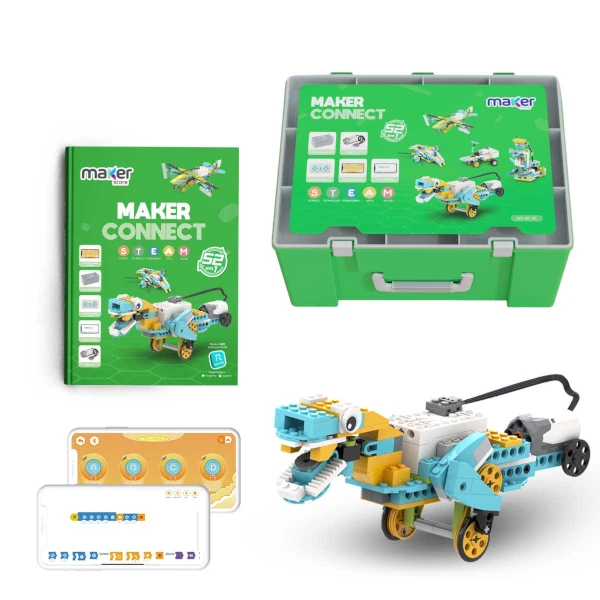
Maker Connect 52 in 1 Kit
It helps transform ideas into assemblies, test hypotheses and develop practical problem solving.
View on Maker Store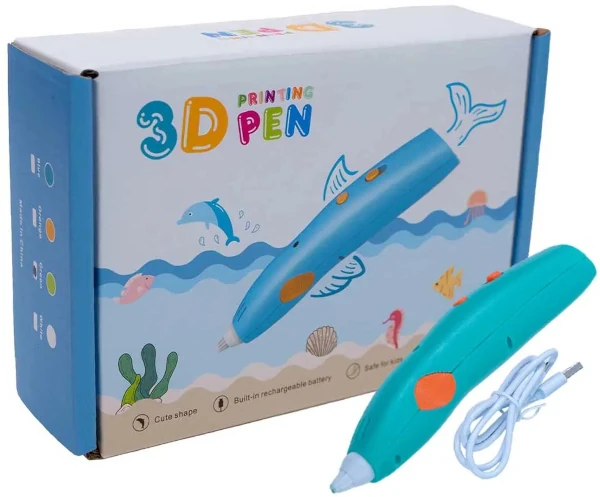
Caneta Impressora 3D with filament and molds
Good for getting ideas off paper, creating simple prototypes and exercising visual communication.
View on Maker Store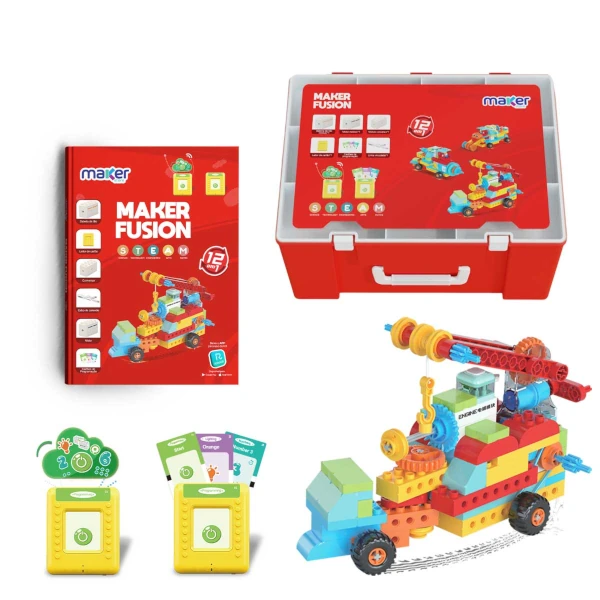
Maker Fusion 12 in 1 Kit
It connects assembly, creativity and practical reasoning for projects that are born from a clear idea.
View on Maker StoreAffiliate links: by purchasing through these links, you support My Robot Barra da Tijuca.
Do you want to see technology applied like this?
At My Robot Barra da Tijuca, courses such as My Robot Business, APP Developer and Artificial Intelligence help children and teenagers think about real problems, create digital solutions, use data responsibly and communicate decisions clearly.